

Hardware Specifications
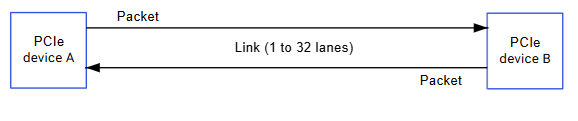
IQ-8275 PCIe Controllers
EVK Hardware Configuration
- PCIe0: Gen4 2-lane — M.2 E key (Wi-Fi) or expansion (switch-selectable via SW1-1)
- PCIe1: Gen4 4-lane — PCIe x4 slot or expansion (switch-selectable via SW1-2)
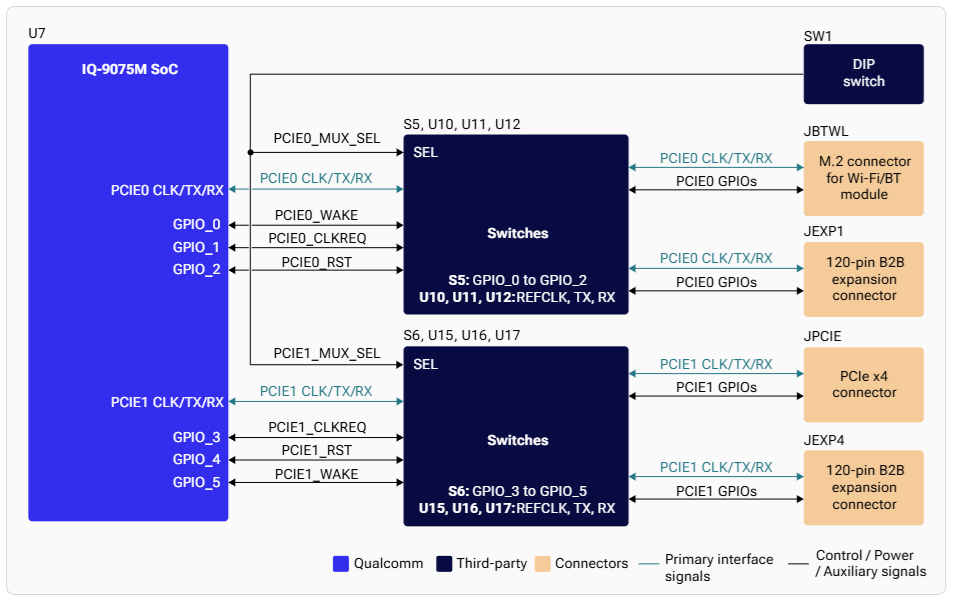
Architecture
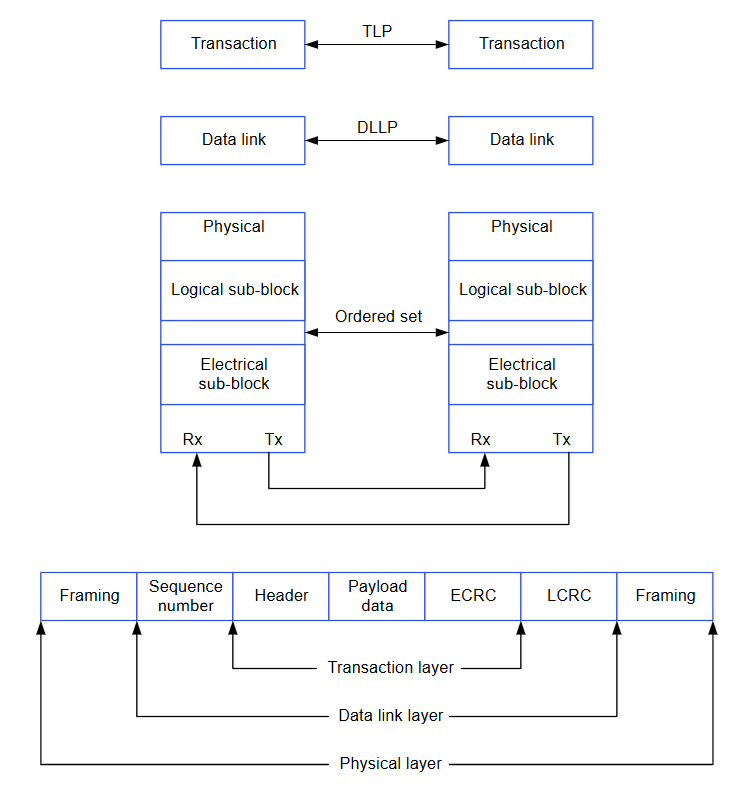
PCIe Connection Types
Software Driver Configuration
Kernel Configuration
Device Tree Sources
Key Driver Files
Verification
NVMe over PCIe
Debugging
Troubleshooting
Link Training Fails
Link Training Fails
- Check PHY power rails and clock configuration
- Verify device tree settings
Device Not Enumerated
Device Not Enumerated
- Verify DIP switch positions (SW1-1, SW1-2)
- Check endpoint power supply
Performance Issues
Performance Issues
- Verify link is running at expected Gen4 speed
- Adjust ASPM settings if too aggressive