

I3C is supported for aDSP sensor communication only. It is not supported for Linux use cases.
Overview
Bus Characteristics
- 2-wire serial interface (SDA + SCL) supporting up to 12.5 MHz
- Backward compatible with legacy I2C devices on the same bus
- Address phase: 400 kHz
- Data phase: 12.5 MHz
Advanced Features
- In-band interrupt (IBI) support
- Hot-join (dynamic device addition)
- Synchronous timing and asynchronous timestamping
- 8-bit data parity during write operations
- Dynamic addressing of targets
- Single Data Rate (SDR) mode
- CCC (Common Command Codes) per MIPI I3C specification
Data Phase Modes
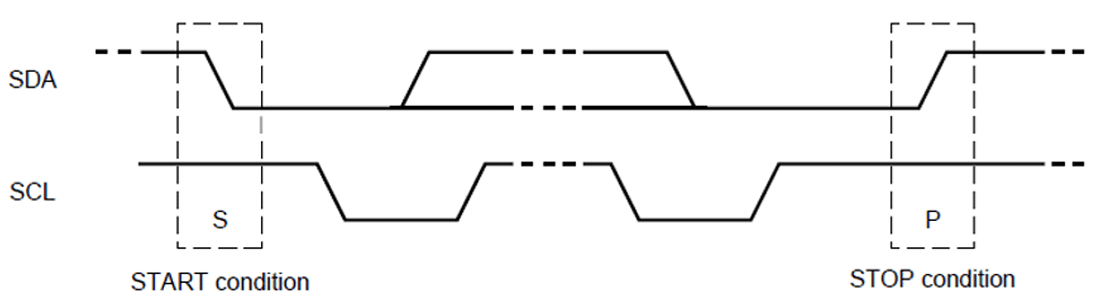
Packet Frame Structure
Bus Initialization
1
Controller Initialization
The I3C controller driver initializes the controller, including firmware loading and configuration settings.
2
Configuration and Device Database Reading
The driver reads the I3C configuration and device database:
- List of I2C static address devices
- List of I3C static address devices
- Expected I3C dynamic devices (vendor ID, device ID, predefined dynamic address, associated drivers)
- Optional hot-join allowed devices
3
Device Enumeration
The driver enumerates devices on the bus and assigns local addresses.
4
Bus Configuration
The driver writes bus configuration to the controller:
- Operation frequency
- Pure/legacy I2C mode
- SDR/HDR enable/disable
- IBI-capable devices and expected data bytes
5
Client Software Configuration
Client software receives the device list and configuration for I2C/I3C devices and hot-join devices.
Software Configuration
Firmware Loading
I3C firmware for the QUP v3 serial engine loads with SSC QUP during aDSP bootup. Configuration files:GPIO Configuration
Troubleshooting
Devices Not Enumerated
Devices Not Enumerated
- Verify SDA/SCL connections and pull-up resistors (1–4.7 kΩ)
- Confirm vendor ID and device ID match expected values
Address Phase Timing Issues (400 kHz)
Address Phase Timing Issues (400 kHz)
Verify SCL frequency is 400 kHz during address phase. Adjust clock divider settings in firmware configuration.
Hot-Join Not Working
Hot-Join Not Working
- Verify hot-join is enabled in configuration
- Add device to the hot-join allowed list (vendor ID + device ID)
Signal Integrity Issues
Signal Integrity Issues
- Measure rise/fall times on SDA and SCL
- Adjust pull-up resistor values
- Reduce bus length or capacitance
Common Error Codes
Resources
- MIPI I3C Specification
- Qualcomm Linux Interfaces Guide
- QUP v3 Serial Engine Documentation