

Ports and Interfaces
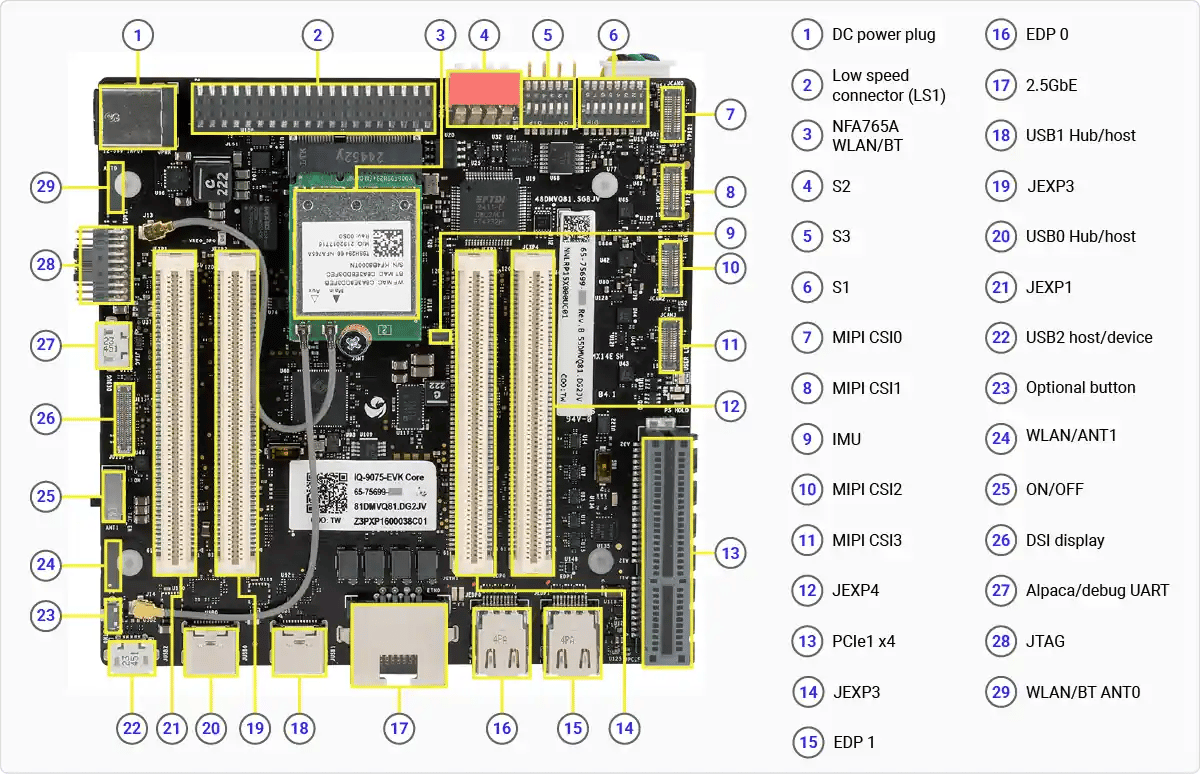
DIP Switches
The following images show the location of the DIP switches on the mainboard.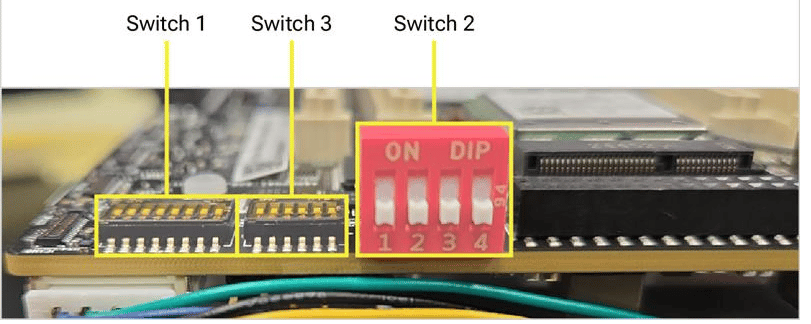
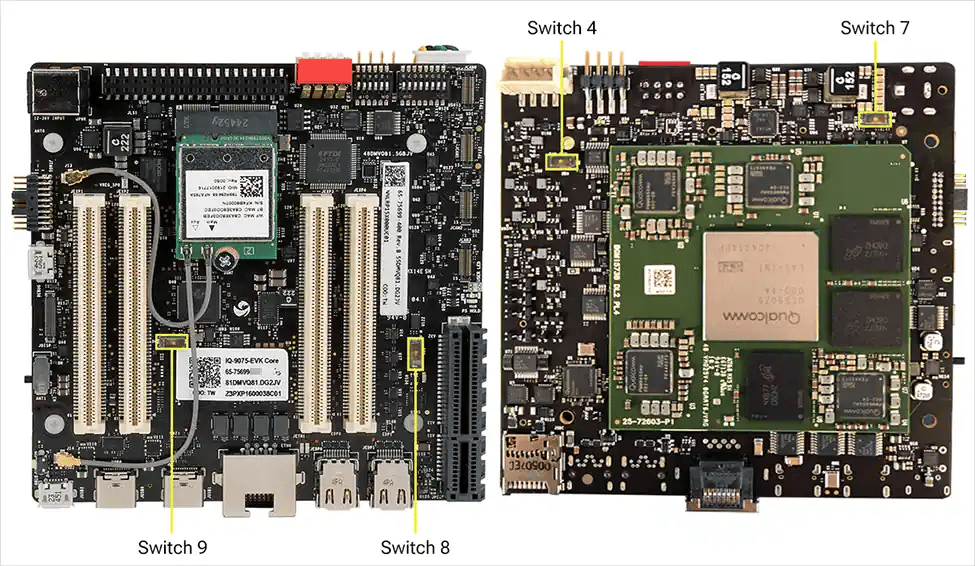
All functions on the mainboard operate with no DIP switch changes. The large red switch is for EDL/Fastboot; the smaller switches below are for mezzanines.
SW2-1 is not enabled in software. SW2-3 puts both domains into EDL mode simultaneously — required for software download.
Other Buttons and Switches
- The side-mounted slide/toggle switch (position 25) is the main power on/off control. To power cycle or reset the device, flip the switch — no button press or hold is required.
- A small push button (position 26) is currently inactive. It is connected to GPIO 6 and reserved for a future software feature.