

Display Capabilities
Supported features:
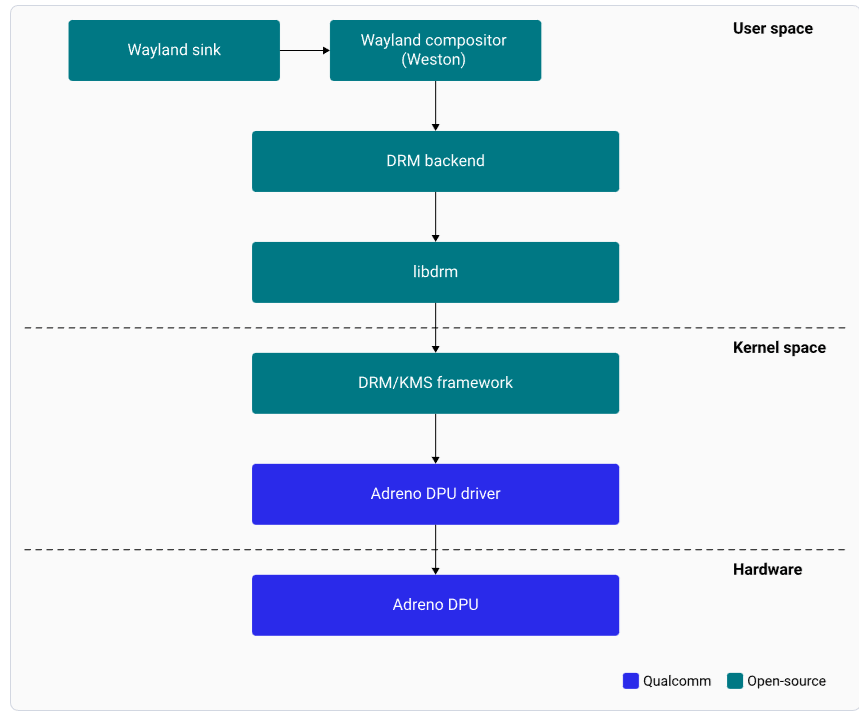
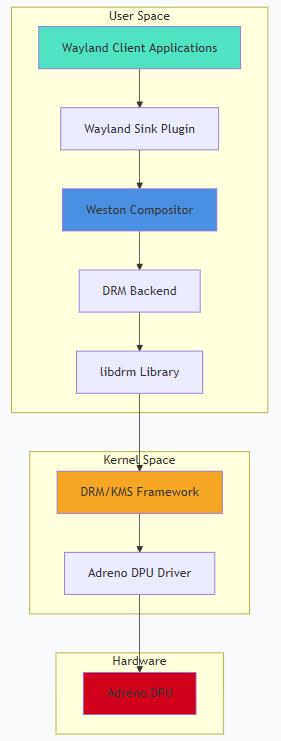
- Wayland and Weston with upstream protocol
- Weston compositor with DRM backend
- 2× DisplayPort with SST and MST support
Architecture
DPU Hardware
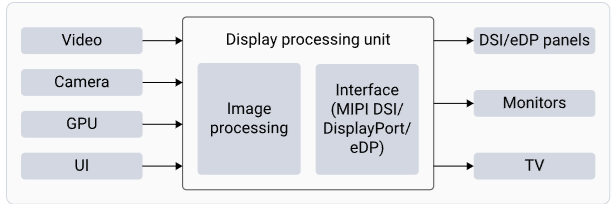
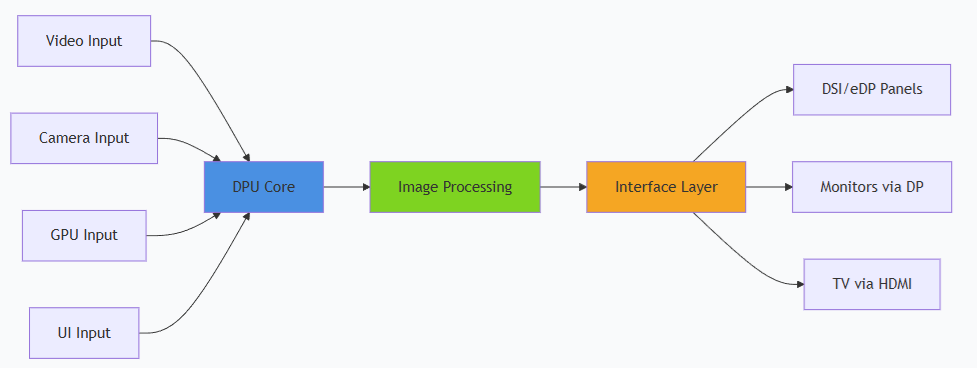
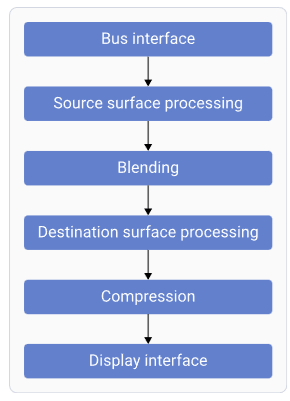

Software Stack
DisplayPort and DSI Interfaces
eDP Interface
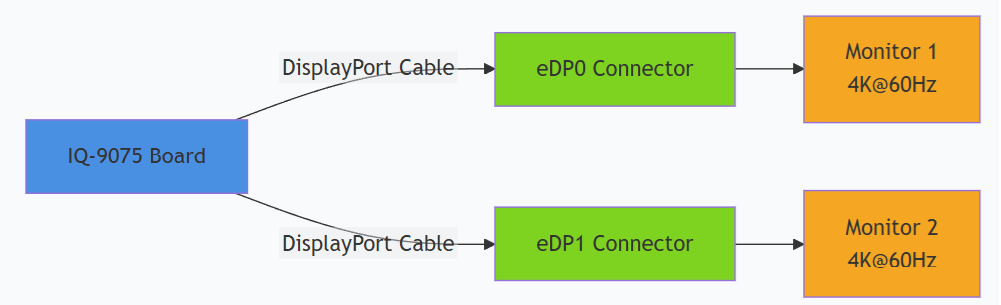
The processor has four eDP interfaces. eDP0 and eDP1 are routed to connectors JEDP0 and JEDP1.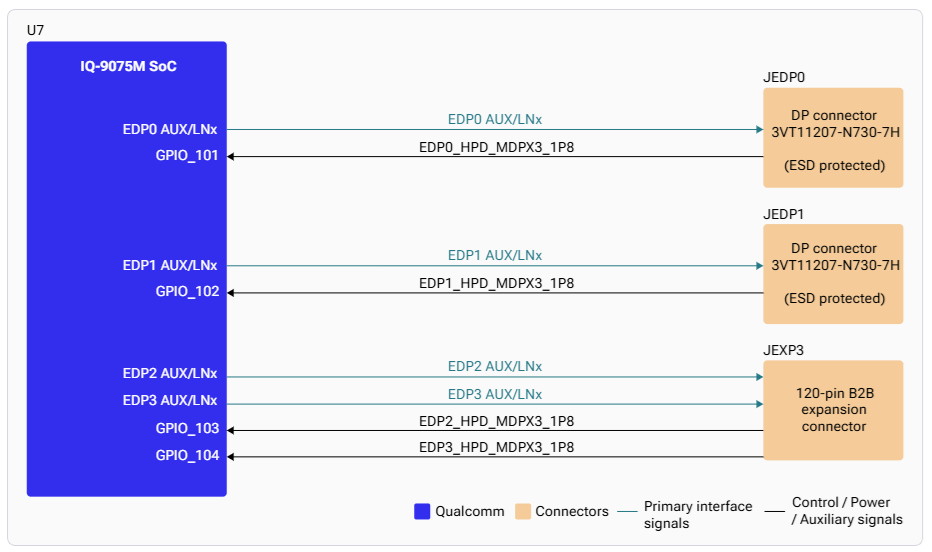
DSI Interface
The IQ-9075 supports two 4-lane MIPI-DSI with VESA DSC v1.2. The DSI0 interface uses an analog switch allowing access through both the JDISP LCD connector and the JEXP1 board-to-board expansion connector.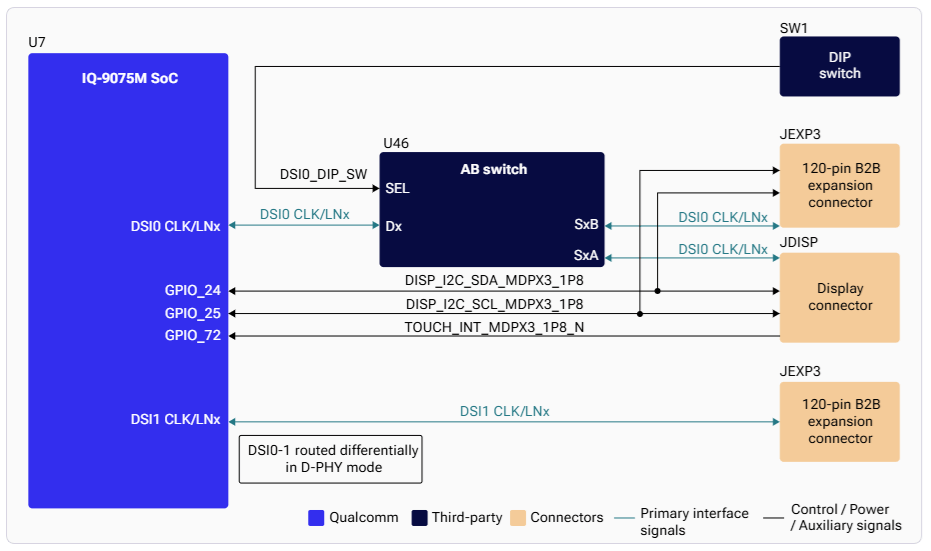
Setup
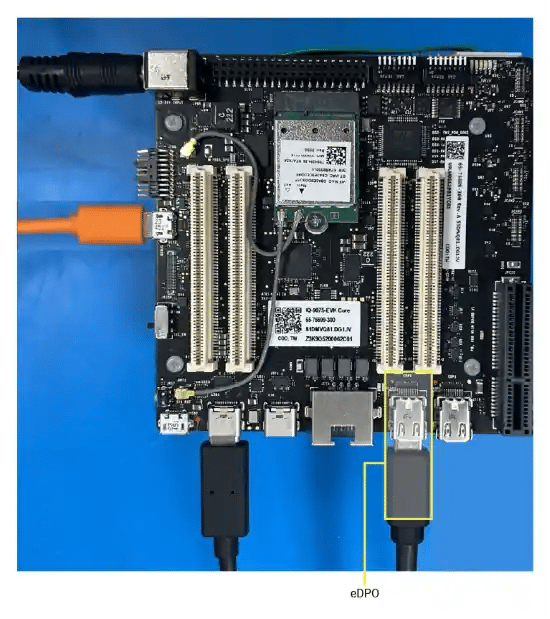
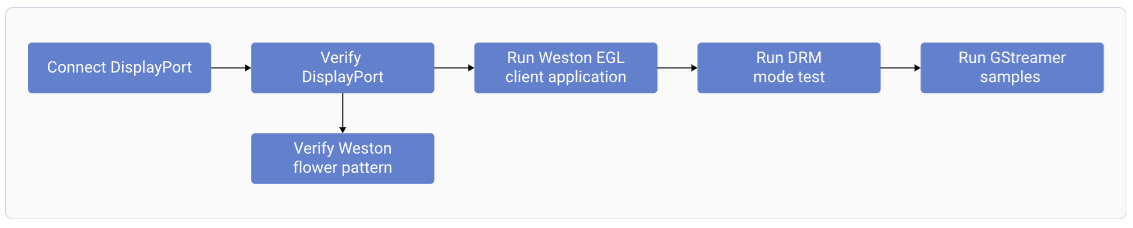
Connect DisplayPort
1
Connect primary display
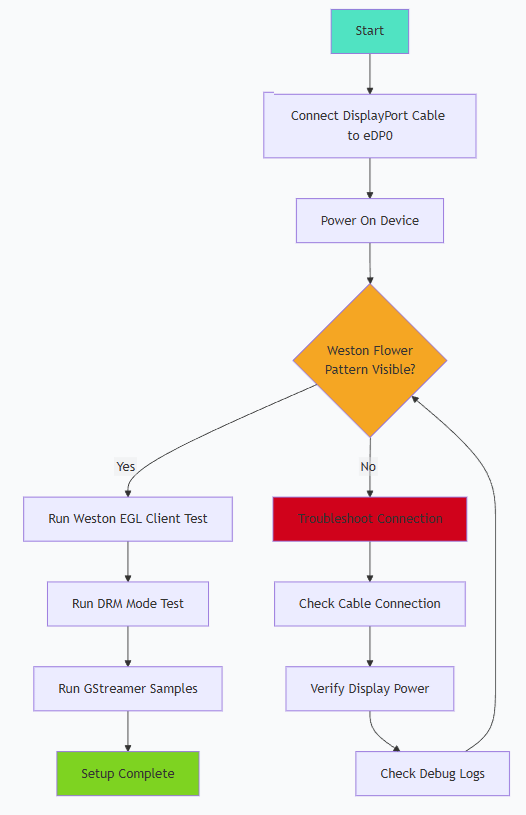
Connect a DisplayPort cable to the eDP0 connector.
2
Connect secondary display (optional)
For dual display, connect a second DisplayPort cable to eDP1.
3
Power on
Power on the device. Weston launches automatically during boot and displays the flower pattern.
SSH Access
Default credentials: Username:ubuntu / Password: ubuntu
Testing and Verification
Run Weston EGL Client
Ctrl+C to terminate.
GStreamer Video Playback

/etc/media on the device.
Debugging
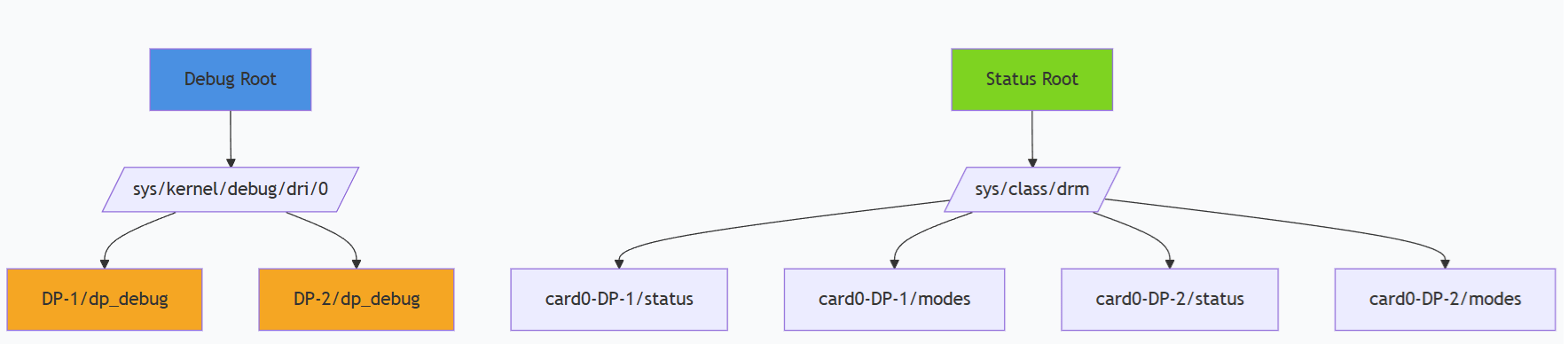
Check DisplayPort Status
Debug Filesystem
Troubleshooting
No Display Output (Black Screen)
No Display Output (Black Screen)
- Verify cable connection to eDP0 or eDP1
- Check display power and input source selection
Incorrect Resolution
Incorrect Resolution
Weston Fails to Start
Weston Fails to Start
Dual Display Not Working
Dual Display Not Working
- Verify both cables are connected to eDP0 and eDP1
- Check Weston configuration for multi-display support
XWayland / Weston Needs Restart
XWayland / Weston Needs Restart