

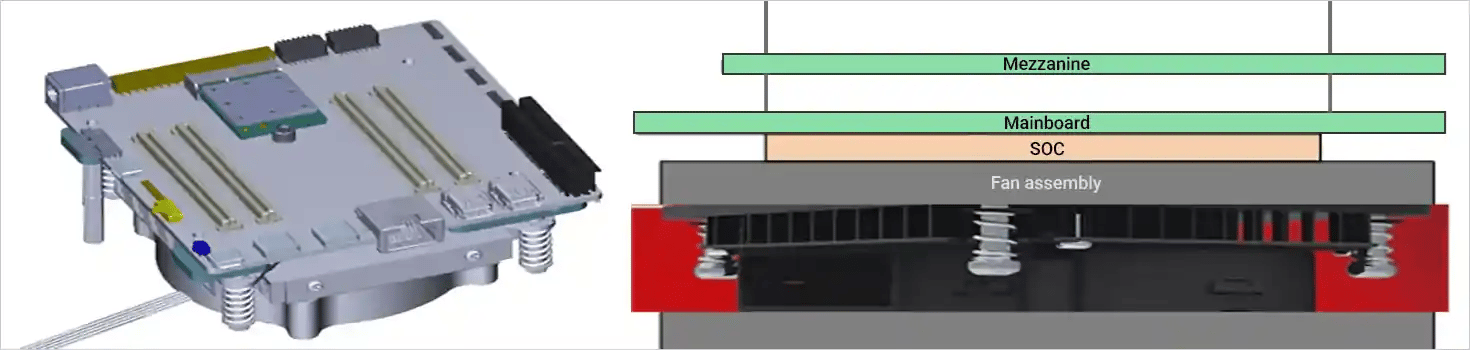
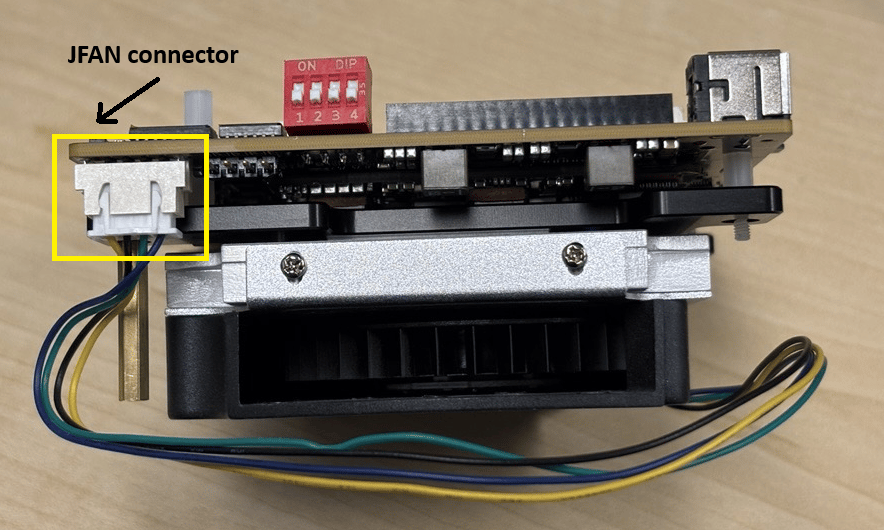
Overview
The fan controller regulates fan speed based on temperature inputs to ensure optimal thermal performance and energy efficiency. It supports multiple operating modes and can be configured dynamically through system nodes.Features
- Supports two operating modes: Manual and Automatic (Mode 2)
- Dynamic fan speed control based on temperature inputs
Operating Modes
How It Works
1
Initialization
System boots and loads fan controller configuration.
2
Mode Selection
The
pwm1_enable node is set to 2 for automatic mode.3
Temperature Monitoring
Remote temperature sensors continuously monitor system temperature.
4
PWM Adjustment
Based on temperature, the controller adjusts the PWM signal (0–255) to control fan speed.
5
Fan Speed Control
Fan speed (
fan1_input) increases or decreases accordingly.6
Threshold Handling
If temperature drops below
temp2_auto_point1_temp, the fan is turned off.Mode Details and Validation
- Auto Mode (Mode 2)
- Manual Mode (Mode 1)
Description
In Auto Mode, fan speed is automatically controlled based on the remote temperature sensor (temp2_input). The system adjusts fan power and speed according to predefined temperature thresholds to ensure efficient cooling.Node Path
All relevant nodes are located under: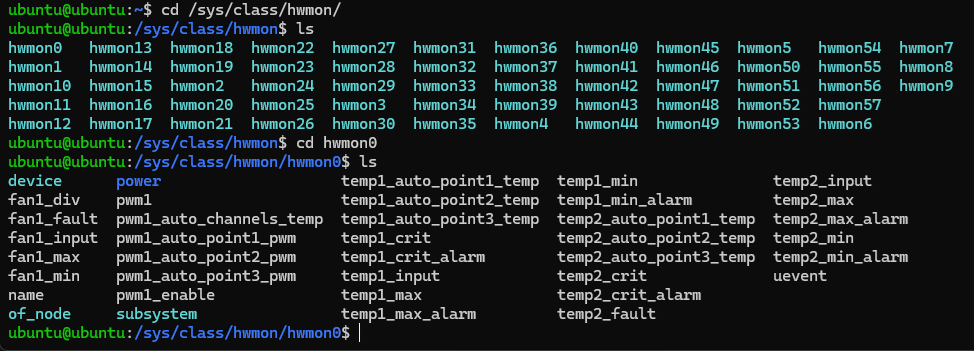
Temperature Thresholds
Key Nodes
Validation
For IQ-9075,
amc6821 is located at hwmon0, so X = 0.1
Confirm Mode
2.2
Monitor Temperature
3
Check Fan Speed
4
Check Power Input
5
Observe Behavior
- Below
temp2_auto_point1_temp: Fan should stop (fan1_input= 0,pwm1= 0) - Between point1 and point2: Fan runs slowly (
pwm1≈ 85) - Between point2 and point3: Fan runs at full speed (
pwm1= 255)
The actual hwmon number for the AMC6821 fan controller may vary. To determine the correct number:Expected output: