

Specifications
Wi-Fi
Bluetooth
Hardware Setup
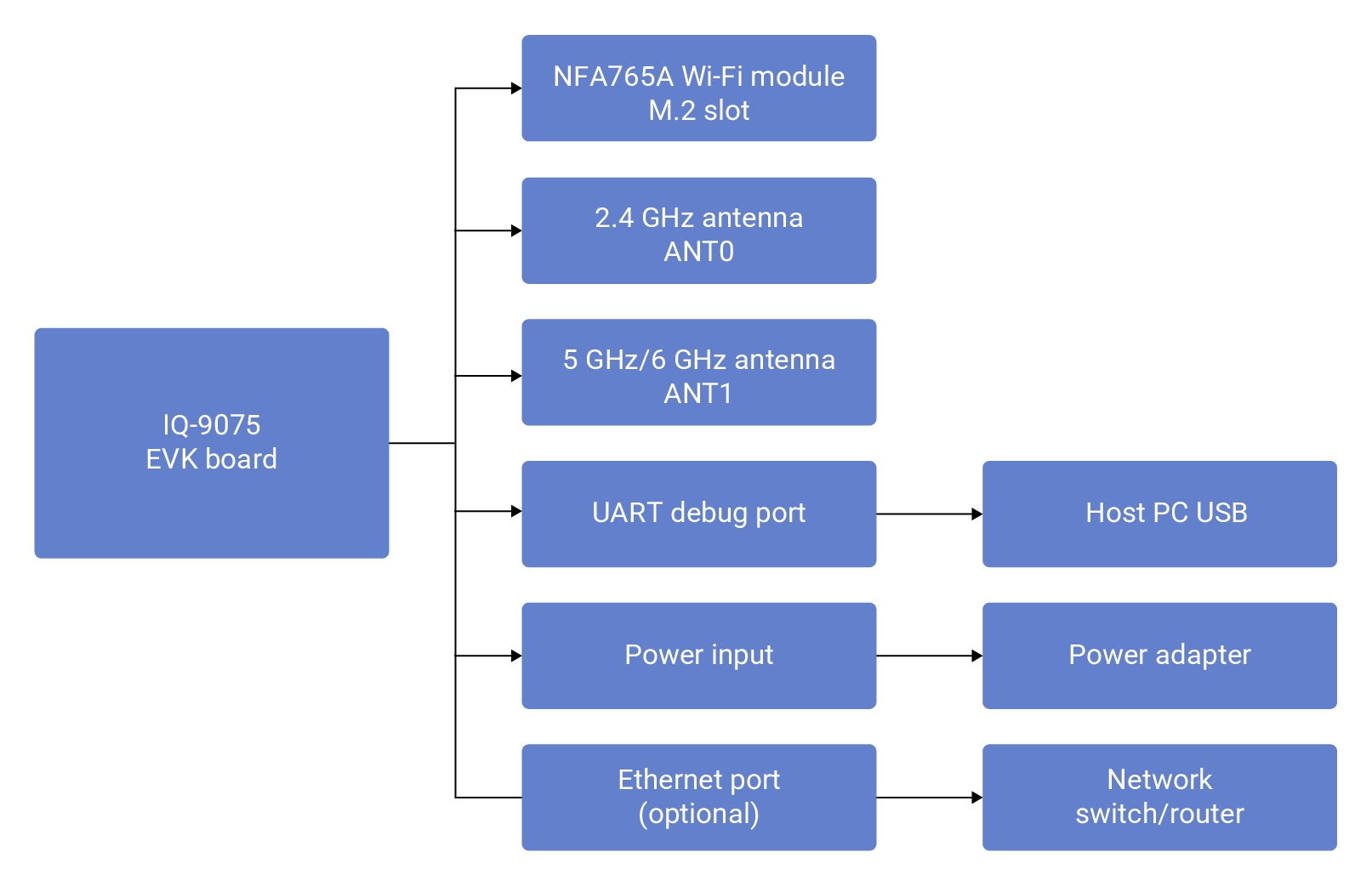
1
Install Wi-Fi Module
Insert the NFA765A module into the M.2 slot at a 30-degree angle, press flat, and secure with the provided screw.
2
Connect Antennas
- ANT0 (2.4G) — shared between Wi-Fi and Bluetooth
- ANT1 (5G/6G) — Wi-Fi 5 GHz and 6 GHz only
3
Connect UART Debug Cable
Connect the UART cable to the debug port and note the assigned COM port or
/dev/ttyUSB device.4
Connect Power and Boot
Power on and observe the boot sequence via UART console. Default login:
ubuntu / ubuntu.Architecture
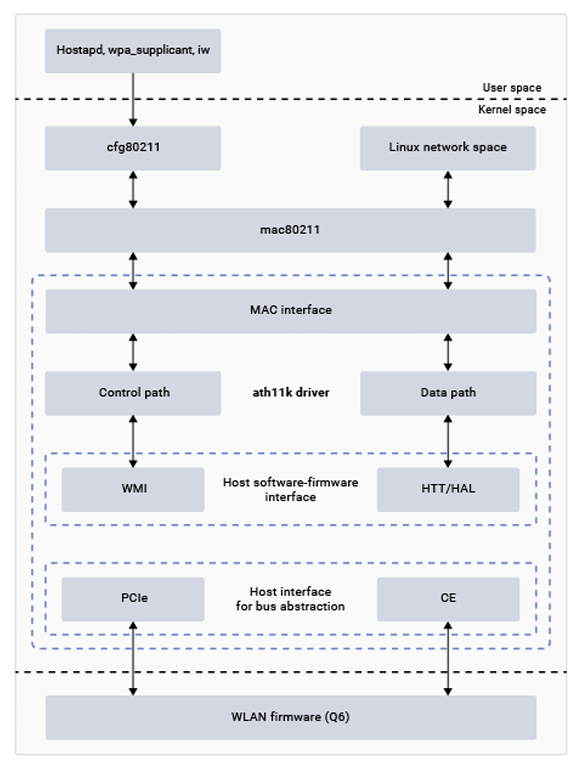
Wi-Fi Software Architecture
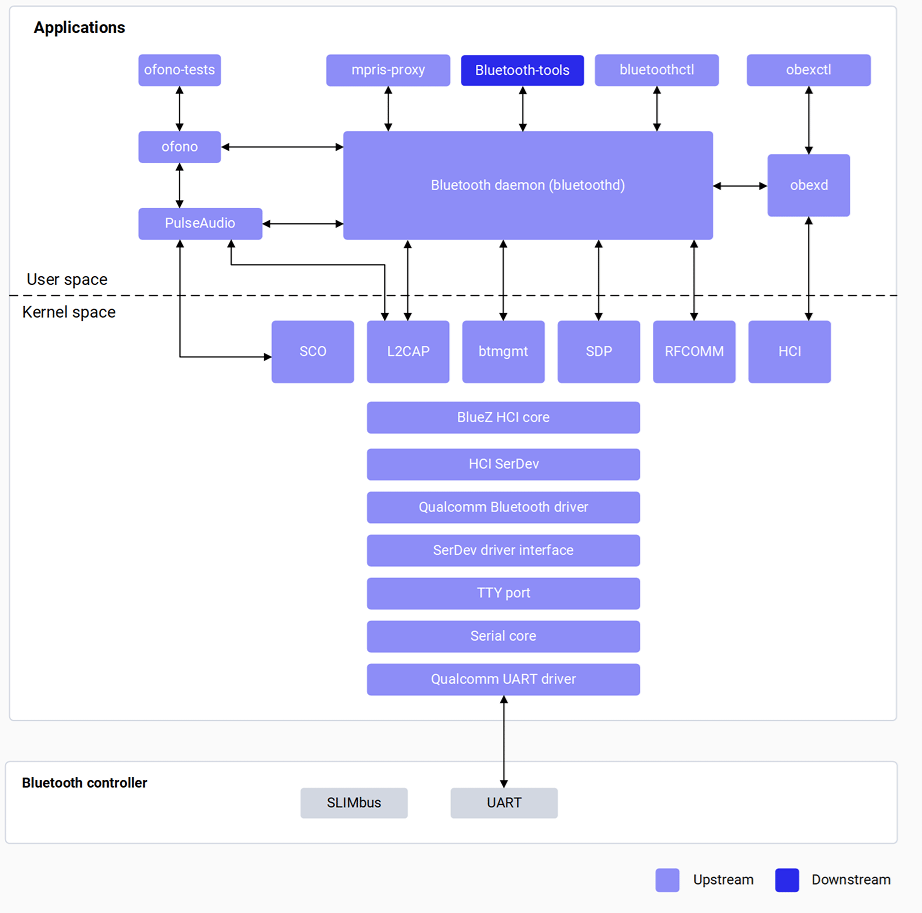
Bluetooth Software Architecture
Verify Components
Wi-Fi
Bluetooth
Wi-Fi Configuration
Station Mode
Set MAC Address (Optional)
Hotspot Mode
1
Add SoftAP interface
2
Configure and start hostapd
3
Start DHCP server
4
Monitor connections
Bluetooth Configuration
Set Bluetooth MAC Address (Optional)
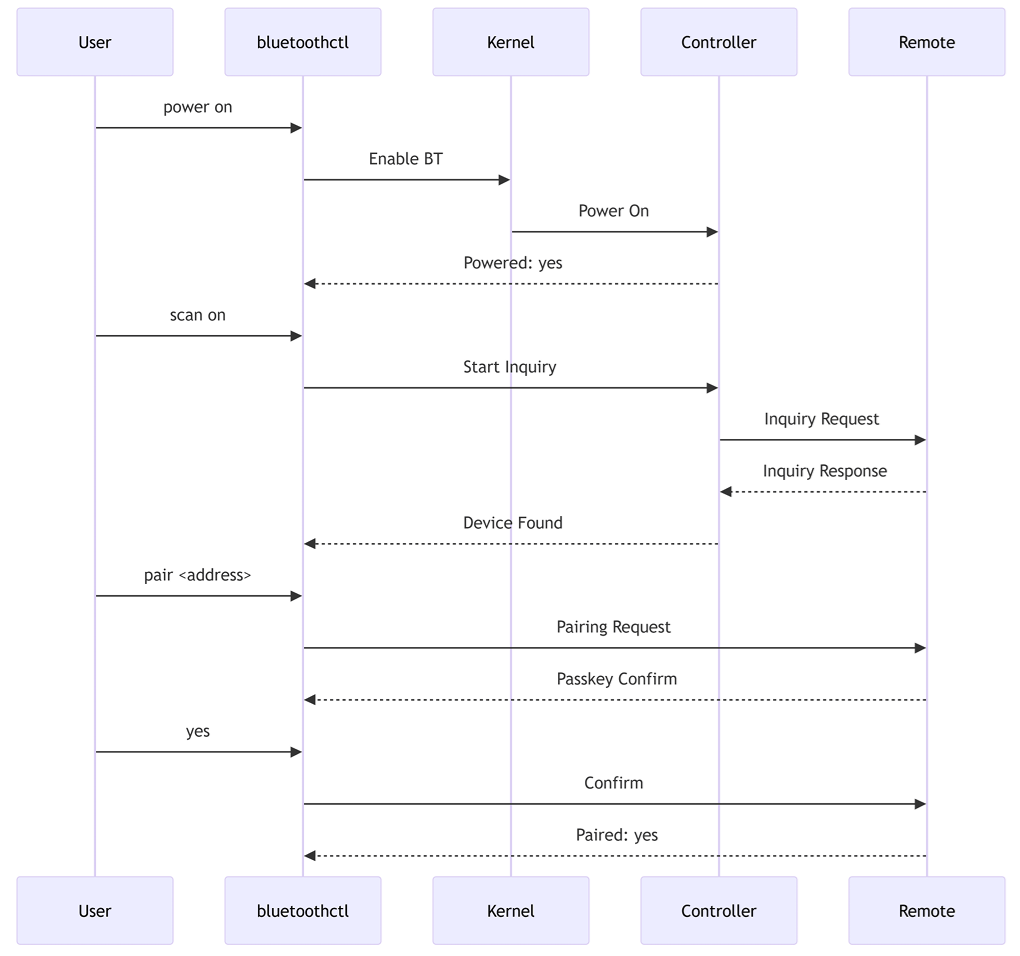
GAP Operations
Supported Bluetooth Profiles
A2DP, AVRCP, and HFP are supported on WCN6750/WCN6856.
Debugging
Troubleshooting
wlp1s0 Interface Not Found
wlp1s0 Interface Not Found
Cannot Connect to AP
Cannot Connect to AP
Verify SSID and password; check AP security settings.
Bluetooth Not Powering On
Bluetooth Not Powering On
Pairing Fails
Pairing Fails
Ensure both devices confirm the same passkey; retry pairing.
Audio Profile Not Working
Audio Profile Not Working
A2DP and HFP require WCN6750/WCN6856 — verify profile support.