

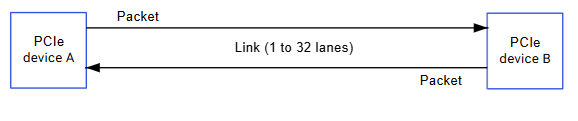
Hardware Specifications
IQ-9075 PCIe Controllers
EVK Hardware Configuration
- PCIe0: Gen4 2-lane — M.2 E key (Wi-Fi) or expansion (switch-selectable via SW1-1)
- PCIe1: Gen4 4-lane — PCIe x4 slot or expansion (switch-selectable via SW1-2)
- JPCIE: PCIe Express v4 receptacle connector (PCIe1)
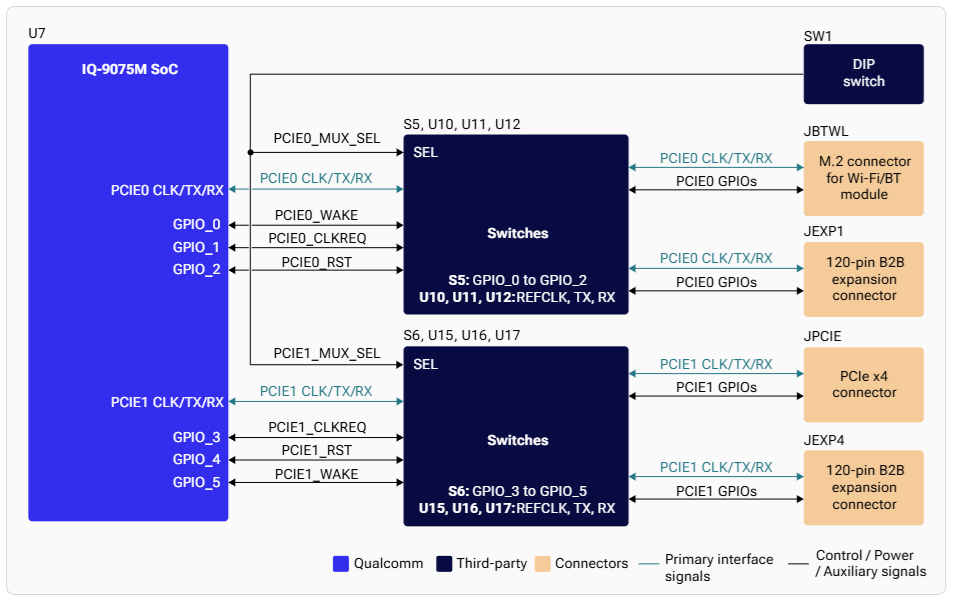
Architecture
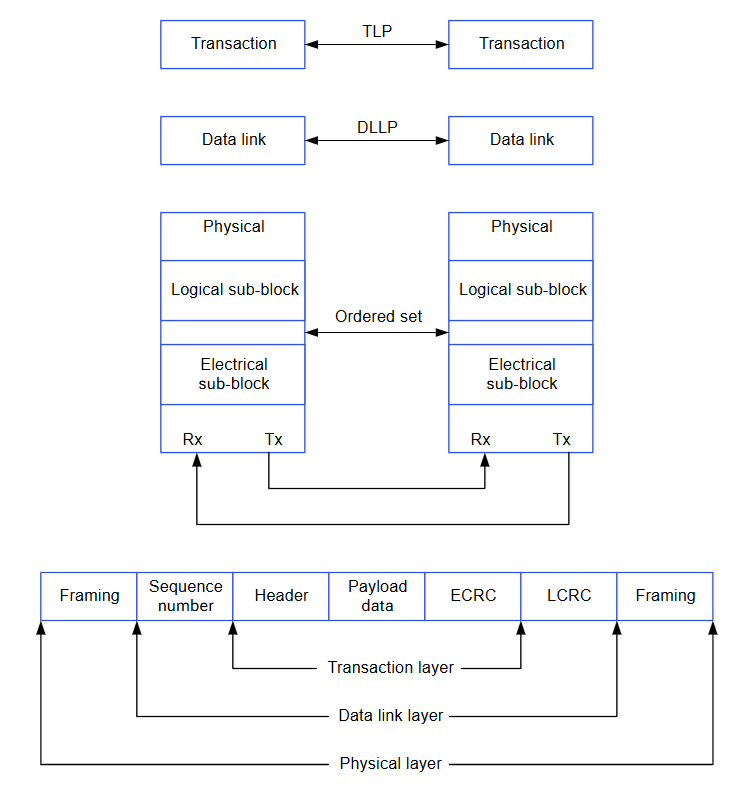
PCIe Connection Types
Software Driver Configuration
Kernel Configuration
Device Tree Sources
Key Driver Files
Verification
List PCIe Devices
Check Link Status
USB over PCIe
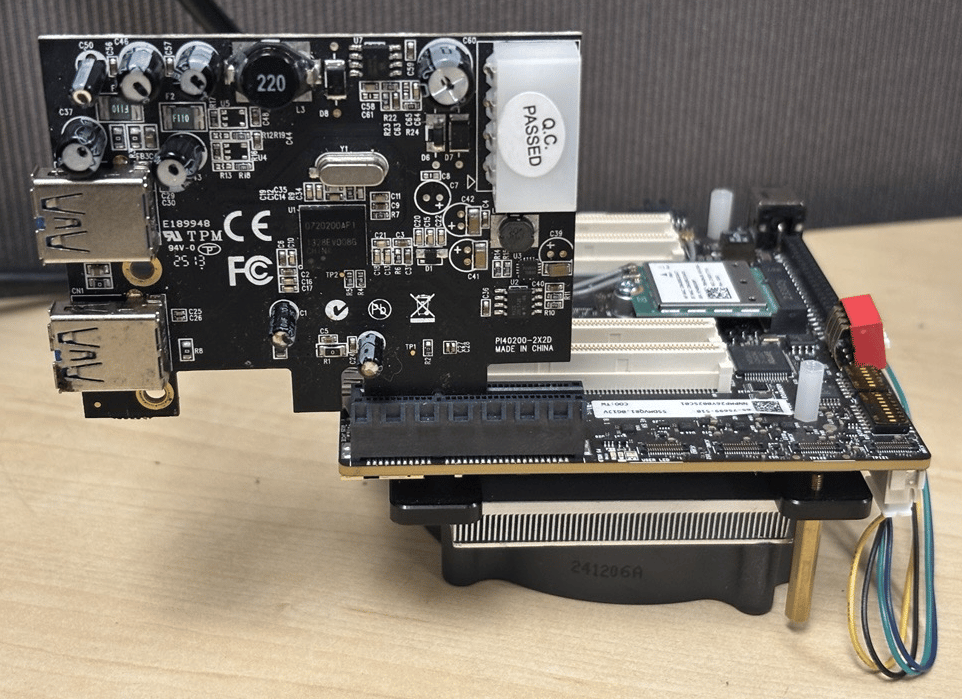
NVMe over PCIe
Debugging
Enable Debug Logs
Troubleshooting
Link Training Fails
Link Training Fails
Possible causes: PHY not initialized, clock/power issues, incorrect device tree.
- Check PHY power rails and clock configuration
- Verify device tree settings
Device Not Enumerated
Device Not Enumerated
Possible causes: Link not established, endpoint not powered, switch misconfigured.
- Verify DIP switch positions (SW1-1, SW1-2)
- Check endpoint power supply
MSI Not Working
MSI Not Working
- Enable MSI in device tree
- Check interrupt controller configuration
- Verify
pci_enable_msi()returns success in driver
Performance Issues
Performance Issues
- Verify link is running at expected Gen4 speed
- Adjust ASPM settings if too aggressive